
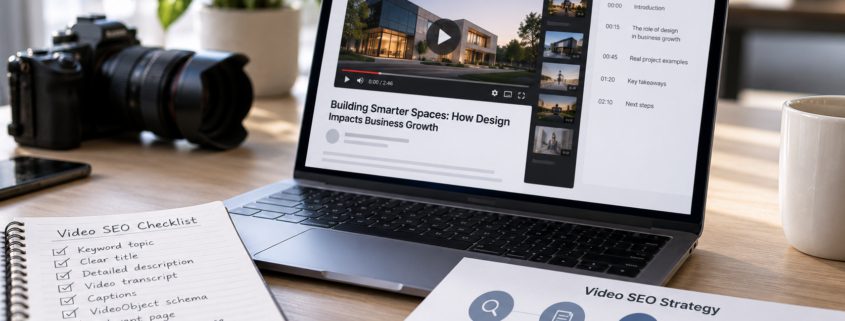
How to Create Video Content That AI Search Can Actually Find
Creating a video takes time and money. But even a well-produced video can struggle to attract viewers if search engines cannot find or understand it.
As more people use AI-powered search to research products, services, and businesses, video SEO for AI search deserves more attention. Effective video search optimization helps search engines discover, understand, and evaluate video content in the context of relevant searches.
The good news is that you do not need a separate set of tricks for AI search. Many of the same practices that support traditional video SEO also help search systems understand your content.
1. Start With a Question Your Audience Is Asking
Before recording, identify the question your video will answer.
For example, instead of creating a video called “Our New Manufacturing Capabilities,” consider a topic such as “How Does CNC Machining Improve Production Accuracy?”
The second title explains what viewers will learn.
Strong video topics often come from:
- Customer questions received by sales teams
- Product demonstrations and troubleshooting requests
- Common service comparisons
- Industry-specific challenges
- Frequently searched how-to topics
Keep each video focused enough to answer its main question clearly.
2. Use Descriptive Video Titles and Text
Search engines rely on information surrounding a video to understand its subject.
Give each video a specific title and a description that summarizes what it covers.
Avoid titles such as “Company Video 2026” or “Watch Our Latest Update.”
A title like “How to Prepare for Your First Senior Living Community Tour” provides much more context.
Include the main topic naturally without repeating the same keyword throughout the description.
3. Use Video Transcripts for SEO and Add Accurate Captions
Captions help viewers who cannot hear the audio, while transcripts make spoken information available in text.
Using video transcripts for SEO can provide additional context on the page by making spoken information easier to read, reference, and understand. Transcripts also support accessibility, but they do not automatically improve search rankings.
For an interview or educational video, consider adding:
- A short written summary
- The main questions discussed
- An edited transcript
- Links to related pages or resources
Do not publish an unreviewed transcript filled with errors. Names, technical terminology, and product details need to be accurate.
Transcripts work best as part of a broader video optimization strategy that includes useful content, descriptive metadata, and accessible video pages.
4. Publish Videos on Relevant Website Pages
Embedding every company video on one general video gallery is not always the best approach.
Place videos where they help visitors understand a specific topic.
For example, a product installation video belongs on a relevant product or support page. A senior living virtual tour belongs on a community page where prospective residents can also find photos, services, and contact details.
If video search visibility is a priority, consider a dedicated, indexable watch page where the video is the main content. Make sure search engines can access the page and identify the embedded video.
5. Give Search Engines the Right Technical Information With VideoObject Schema
Google supports video structured data and other signals that help it discover and understand video content.
However, adding VideoObject schema alone does not make a video discoverable or guarantee its appearance in search results. Google also needs to access the video and its supporting resources. When video indexing is the goal, the video should be embedded on an indexable watch page and supported by accurate metadata.
| Video SEO Element | What It Does |
| Descriptive title and metadata | Identifies the video’s main subject and provides accurate details, including its description and upload date |
| Accessible thumbnail | Gives Google and users a visual preview through a unique, stable, accessible thumbnail URL |
| VideoObject structured data | Provides video details in a recognized format that helps Google understand the content |
| Video sitemap | Helps search engines discover video content and associated URLs |
| Captions and transcripts | Make spoken content accessible in text and provide additional context |
| Relevant watch page | Gives the video a clear page context and supports video indexing when the page is accessible and indexable |
Make sure the video, thumbnail, and related resources are available to search engines. Video files and player resources should not be unnecessarily blocked from crawling.
Businesses should also validate their VideoObject structured data using Google’s Rich Results Test and ensure that titles, descriptions, thumbnails, and upload dates accurately reflect the video.
Where appropriate, submit a video sitemap to help Google discover video content. After publishing, use Google Search Console to verify whether the watch page and its video have been indexed.
These steps improve discoverability and eligibility for video search features, but they do not guarantee indexing or enhanced search visibility.
6. Measure Video Search Performance
Publishing a video is only the beginning.
Use Google Search Console to review video indexing and search performance where data is available.
The Video indexing report helps identify which indexed pages contain videos Google has indexed and highlights issues preventing other videos from being indexed.
The Videos search appearance filter in the Performance report can help marketers review available video search impressions, clicks, and related performance data.
Also monitor:
- Video page visits
- Relevant organic search queries
- Engagement with the video
- Clicks to product or service pages
- Form submissions from video-related pages
These measurements help identify which topics bring useful traffic and where improvements may be needed.
Monitoring video indexing, search visibility, and on-page engagement can help businesses refine their strategy over time. While Google Search Console does not provide a complete measure of visibility across all AI-powered platforms, these insights can support broader AI search visibility efforts.
Can You Guarantee a Video Will Appear in AI Search?
No. Search engines decide which content to display based on the query and their own systems.
Good video SEO improves discoverability and eligibility, but it does not guarantee a video will appear in Google’s AI Overviews or other AI-generated answers.
The better approach is to create videos that answer real customer questions, publish them on useful pages, and give search engines enough information to understand them.
Improving AI search visibility starts with making video content accessible, relevant, and technically understandable rather than relying on a single optimization tactic.
Want your video content to do more than collect views? Stevens & Tate can help connect video production with a practical digital marketing and SEO strategy. Schedule a consultation today!
FAQs
Q1. How can I optimize videos for AI search?
Start with clear video titles, accurate descriptions, captions, and transcripts. Publish videos on relevant, accessible website pages, use appropriate video structured data, and make sure search engines can access the video content. Google Search Console can also help identify indexing issues that may affect discoverability.
Q2. Do video transcripts help with SEO?
Yes. Transcripts make spoken information available as text, helping visitors and search engines understand the video’s content. Accurate transcripts also improve accessibility and provide useful context on the page. However, transcripts alone do not guarantee better search rankings and should be part of a broader video SEO strategy.
Q3. What is VideoObject schema, and why is it important?
VideoObject schema is structured data that provides search engines with information such as a video’s title, description, thumbnail, and upload date. It can help Google understand video content and determine eligibility for certain video search features. However, structured data alone does not guarantee video indexing or visibility.
Q4. Can videos appear in Google AI Overviews?
Videos can appear in Google search experiences, including AI-powered results, depending on the query. However, there is no guaranteed method for getting a video featured in AI Overviews. Clear content, accessible and indexable watch pages, and established video SEO practices support discoverability.